
Home Office Ideas: How to Build a Space That’s Good to Work In and Good to Look At
A home office has two jobs, and most home offices do only one of them.
The functional-but-joyless office has good storage, a proper ergonomic chair, everything exactly where it should be — and it feels like a waiting room. You can work in it, but you don’t want to. Every morning you sit down and the space communicates something just slightly gray and corporate about your day before it’s even started.
The beautiful-but-unworkable office has the right aesthetic — curated shelves, good art, plants everywhere — and absolutely nowhere to put a filing system. It photographs brilliantly and functions terribly. You spend more time rearranging the plants for a flat lay than actually getting anything done.
Getting both right — a home office that’s genuinely functional and genuinely beautiful — is the challenge, and it’s more achievable than most people think. The rooms that pull it off aren’t expensive or architecturally special. They’re thoughtful. Someone decided what the space needed to do, and then made it look like they chose to be there. Here’s how that actually works.
The Gallery Wall — Make the Wall Behind You Worth Looking At
The wall your monitor faces gets all the attention in home office advice — standing desks, cable management, monitor height. The wall behind you gets almost none, despite being what you see every time you look up from the screen, what your colleagues see on every video call, and what sets the visual tone for the entire room.
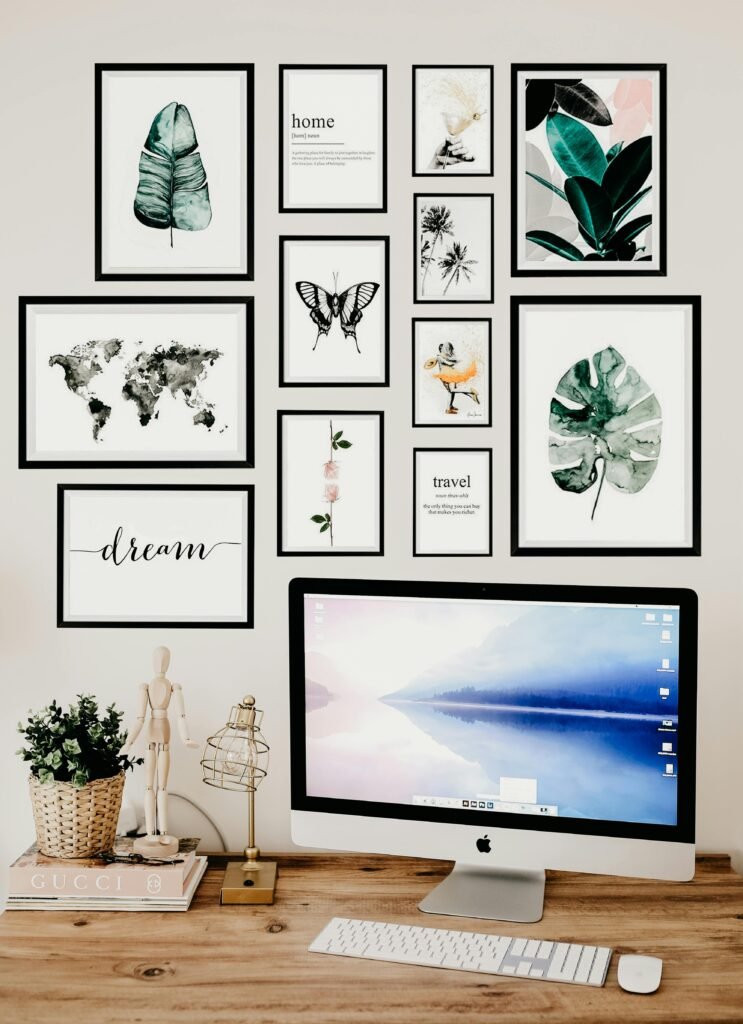
A gallery wall done well is one of the most effective and affordable things you can do for a home office. In the setup above — black frames of varying sizes, a mix of botanical prints, a world map, simple typographic pieces (“dream,” “travel”), against a white wall above a warm wood desk — the wall does several things at once. It gives the eye somewhere interesting to land during thinking pauses. It tells you something about the person who works there. And from a video call perspective, it reads as deliberately personal rather than generically decorated.
The formula that works for a home office gallery wall: consistent frames (all one color — black or natural wood, not a mix), varied sizes (at least three different sizes so the arrangement has visual movement), and a coherent visual theme rather than five unrelated subjects. The setup above uses a botanical and nature theme with two typographic prints as anchors — everything relates without being matchy.
Budget reality: printing your own art (Society6, Desenio, or even your own photography at a drugstore) and framing in IKEA RIBBA frames ($8–15 each) is genuinely all you need. A gallery wall of ten to twelve pieces as shown costs $80–150 total. It takes an afternoon to plan and hang. Command strips mean no commitment and no damage to rental walls.
The one thing to get right that most people don’t: hang the gallery arrangement as a cohesive unit, not as individual frames spread across the wall. Group them tightly — frames nearly touching — so they read as one large installation. Spread apart, the same frames look scattered. Together, they look designed.
Plants and Natural Light — The Two Things That Actually Make Working From Home Bearable
There’s research on this, but you probably didn’t need the research: a room with plants and natural light feels better to work in than a room without them. The research says so; more importantly, your body says so after the first thirty minutes of a dark, plant-free morning in front of a screen.
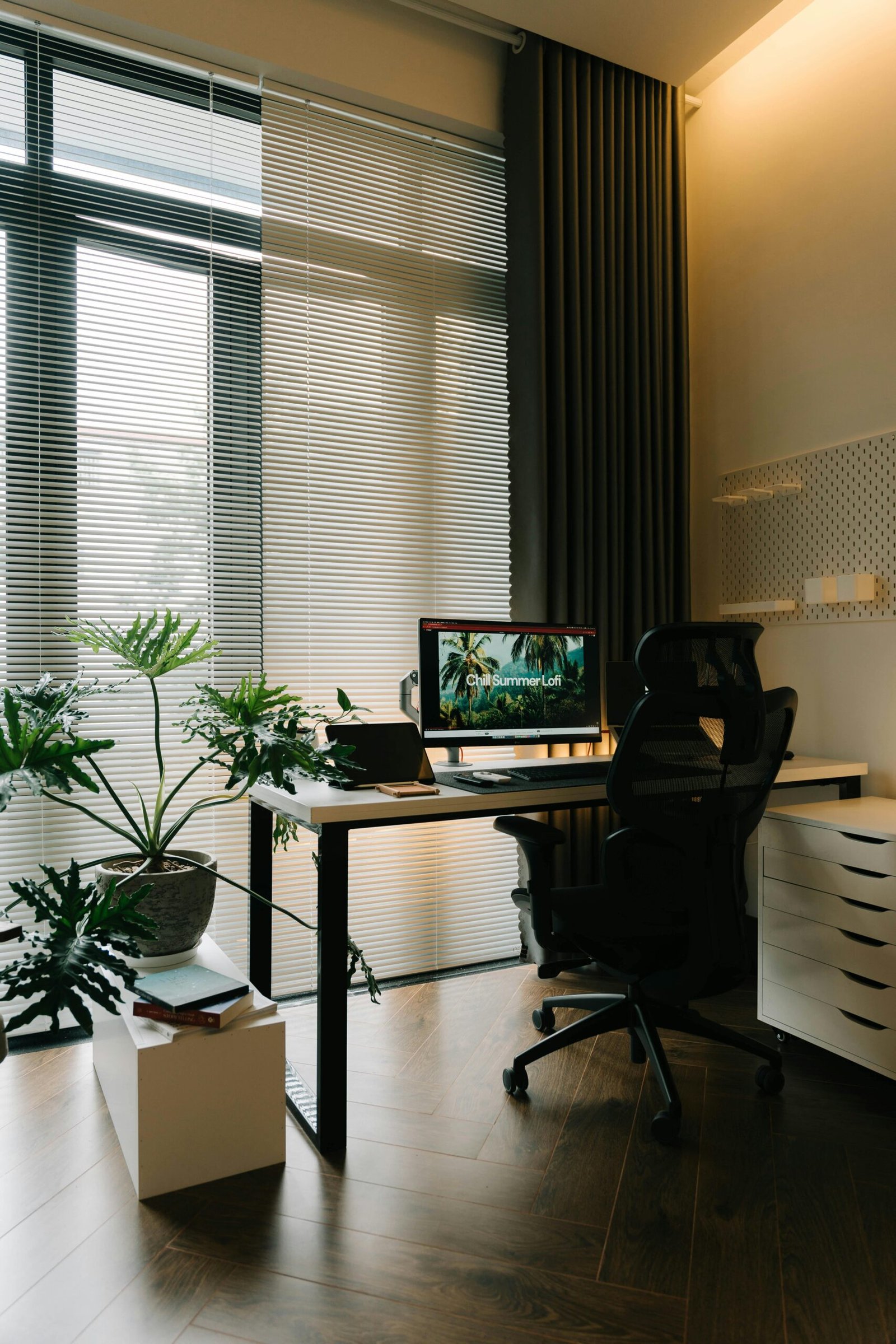
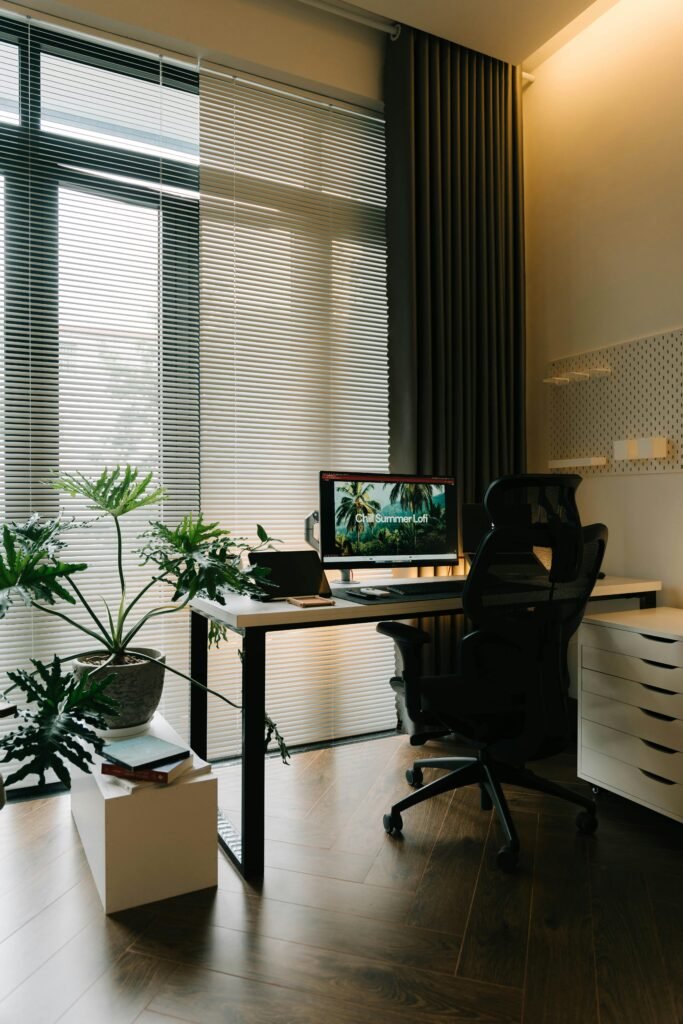
The setup in this room gets both right. Large windows with adjustable blinds — venetian blinds here, which let you angle light rather than block it entirely — flood the desk area with diffused natural daylight without the glare that would make the monitor unusable. The plants are large enough to matter: a monstera and what appears to be a philodendron or split-leaf variety, in substantial pots on the floor rather than tiny succulents on a shelf. These are plants that actually change the feeling of a room rather than decorating it.
The plants worth investing in for a home office: the monstera deliciosa is the obvious choice, and it remains the right one — it grows visibly, tolerates moderate light, and looks genuinely tropical and alive in a way that smaller plants don’t quite manage. A birds of paradise in a good-sized pot does similar work in a sunnier space. A large rubber plant handles lower light and has beautiful dark, architectural leaves.
For the light: position your desk to the side of the window rather than directly facing it (screen glare) or with your back to it (backlit on video calls). Side-lit is the best working position — natural light on your face for calls, no direct glare on the screen, the full visual benefit of the window in your peripheral vision.
The warm overhead light visible in this room — a warm-toned ambient light above rather than a cold overhead fluorescent — is doing quiet but significant work alongside the natural light. A home office that has good natural light during the day and warm artificial light in the evening feels like a real room rather than a workspace that’s been tolerated inside a home.
The Clean Desk Setup — Why Less on the Surface Means More in Your Head
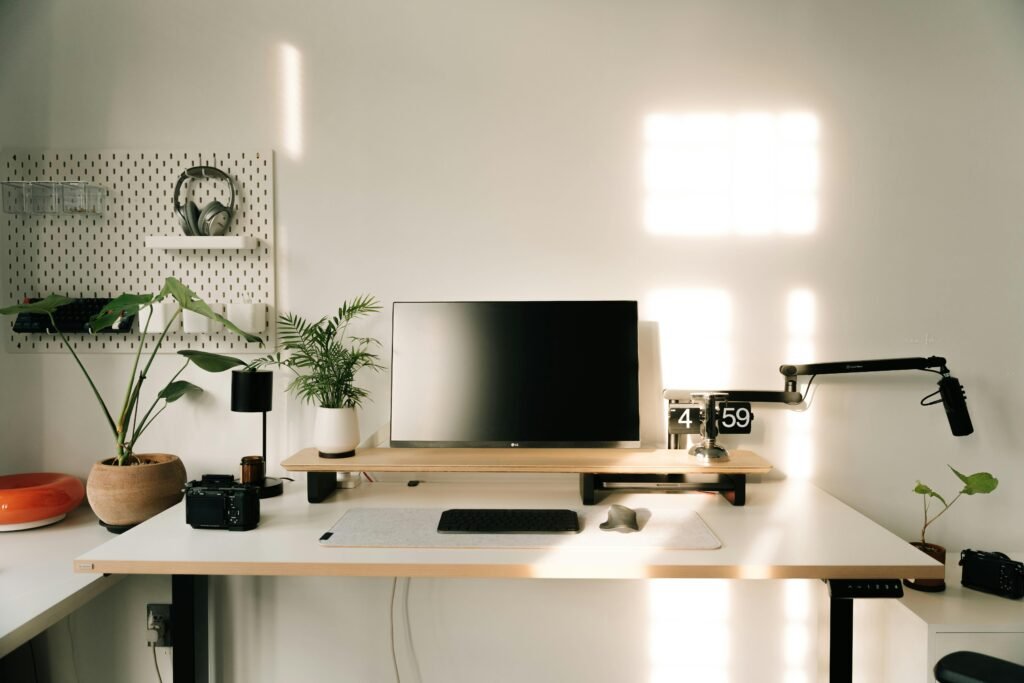
The cleanest, most functional desk setups share one quality: the surface has almost nothing on it that doesn’t need to be there. The monitor. The keyboard and mouse. One small plant. The rest is on the wall, on a riser, under the desk, or simply not in the room.
This setup demonstrates the approach precisely. The IKEA SKÅDIS pegboard on the wall handles the headphones, a small shelf, and accessories that would otherwise live on the desk. A monitor riser — wood-topped, which adds warmth to what could otherwise be a cold all-white setup — elevates the screen to proper eye height and creates storage space underneath it for the keyboard to slide in when not in use. The desk surface itself: monitor, keyboard, mouse pad, one small plant. That’s it.
The monitor riser is the single highest-impact addition to a desk setup that most people haven’t made yet. It solves two problems at once — the monitor at its natural height is too low, which creates neck strain over the course of a long day; and the area under a raised monitor becomes usable surface that keeps the main workspace clear. A good monitor riser ($30–80 for a quality wooden or metal one) pays for itself in posture alone.
The standing desk underneath: a motorized sit-stand desk ($300–600 for a quality unit — FlexiSpot and Uplift are the most reliable at the mid-range) is worth it for anyone who works eight or more hours at a desk and hasn’t made the switch. The research on the benefits of changing positions throughout the day is consistent. More practically: standing for two to three hours of a workday makes the remaining seated hours significantly more comfortable.
The cable management that makes this look as clean as it does: cables routed behind the desk, velcro-tied together, and ideally run through a cable management tray attached to the underside of the desk surface. The time investment is about an hour; the visual difference is complete.
Storage — The Part Nobody Photographs But Everyone Needs to Think About

The most common failure mode in a home office isn’t aesthetic — it’s storage. A beautiful home office that has nowhere for paper, nowhere for files, no system for the things that accumulate in a working life, degrades quickly into a surface covered in stuff with no home. The aesthetic becomes irrelevant because the clutter overrides it within weeks.
The filing drawer under the desk — the IKEA ALEX unit is the most common version and remains genuinely good — is the piece of home office furniture that earns its cost most reliably. Three or four deep drawers handle files, printer paper, notebooks, the miscellaneous equipment that doesn’t have another home. Slides smoothly, locks if needed, fits under most desks without getting in the way of sitting.
The system that actually gets maintained: three categories, not ten. Active files (currently in use projects, documents you look at regularly) in a desktop file holder or the top desk drawer. Reference files (tax documents, contracts, things you need occasionally) in the filing drawers, labelled clearly. Archive (things you keep but rarely access) in a box or cabinet outside the main workspace. Everything that doesn’t fit one of these categories probably doesn’t need to be in the home office.
The paper that arrives and sits on the desk: this is the enemy of a functional home office, and it’s not a storage problem — it’s a processing problem. A small inbox tray ($15–25) on the desk is a single landing spot for incoming paper; the rule is that it gets processed (filed, acted on, or discarded) once a week. An inbox that never gets processed is just a pile with a tray underneath it.
Printer paper, cables, chargers, stationery: these go in a drawer or a closed cabinet, not on a surface. If they’re on a surface, they’re visually present even when you’re not using them, and they make the room feel like it’s in constant low-level disarray.
The Personality Office — When the Space Actually Looks Like You
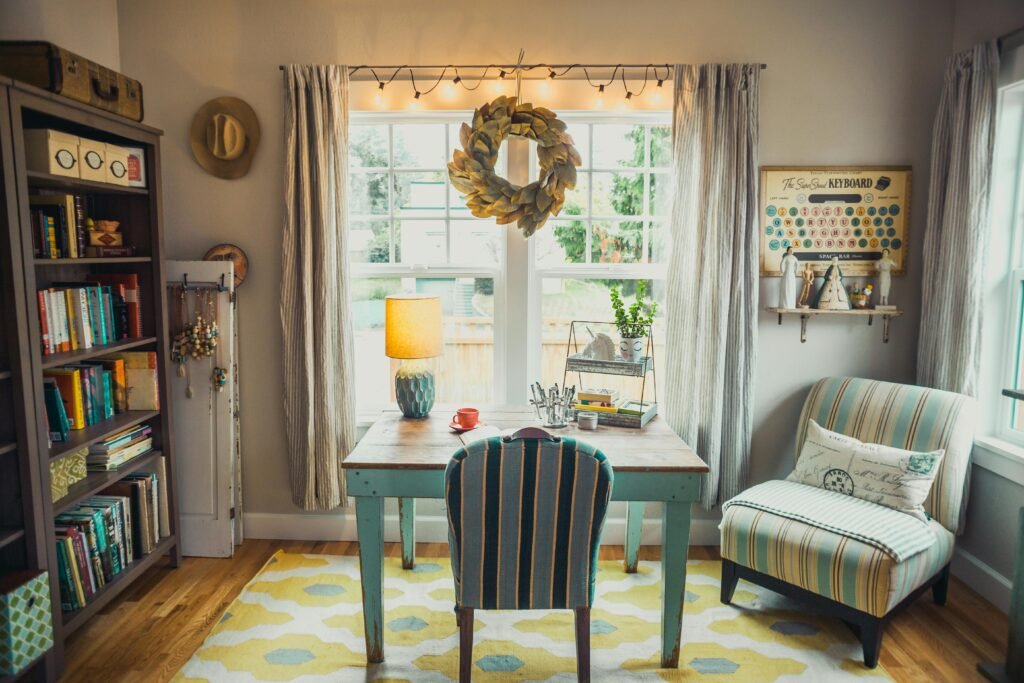
There’s a version of the home office that looks like it belongs to a specific person, that you could look at and immediately know something true about who works there — and this is that version. A teal painted vintage desk positioned to face the window. A tall bookshelf with genuinely loved books in actual use, a few vintage items mixed in with them. A striped accent chair in the corner for reading or thinking. Warm string lights above the window frame. A yellow geometric rug that anchors the whole arrangement.
This room would not photograph well for a minimalist design account and it doesn’t need to. It photographs perfectly for what it actually is: a workspace that someone loves. The key word there is “actually” — there’s a difference between a room that has been decorated with personality and a room that has accumulated personality. This is the latter, and it shows in the best way.
A few things this room does well that any office can replicate regardless of style. The desk faces the window rather than sitting with its back to it — the natural light falls forward onto the face and the work surface rather than creating a silhouette. The bookshelf is near but not behind the primary work area, keeping the visual interest in the room without competing with the monitor. The accent chair in the corner creates a second zone in the room — a place that’s not the desk, where you can sit differently for the kind of thinking that doesn’t happen in front of a screen.
The string lights above the window aren’t doing the room’s main lighting work; they’re adding warmth and a domestic quality that makes the office feel like it’s inside a home rather than despite being inside one. That distinction — the difference between a home office that acknowledges it’s in a home and one that tries to replicate a corporate environment inside a home — is usually visible immediately and felt throughout the workday.
Shelving — The System That Keeps Everything Off the Desk
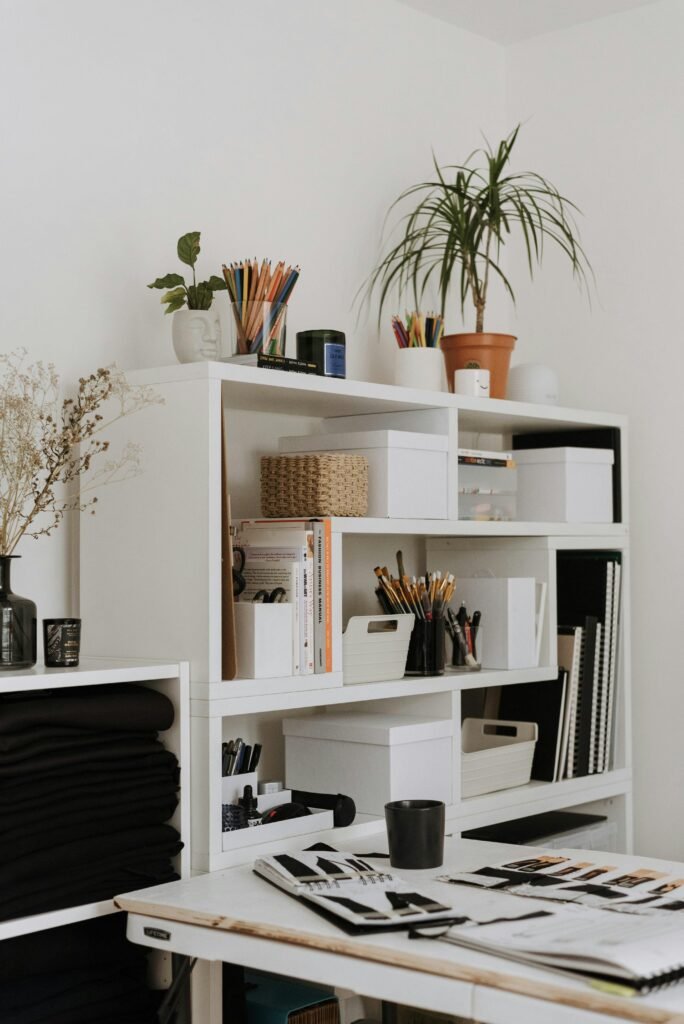
A dedicated shelving unit beside or behind the desk — separated from the desk surface, clearly organized, plants on top — is what keeps a home office from becoming a desk buried under everything that doesn’t have another place to go.
The shelving setup here does several things worth copying. White boxes of consistent size handle loose items that would otherwise be in piles. A woven basket introduces texture and handles less-defined storage categories. Pencil cups and small containers keep tools visible and accessible without spreading across the desk. The plants on top of the unit — above eye level when seated — add greenery without taking desk space.
The consistency of storage containers is the thing that makes open shelving in a home office look organized rather than cluttered. When boxes are all the same color and material, the eye registers “storage” and moves on. When the storage is in seven different containers of seven different colors and sizes, the eye registers “mess” even when everything is technically put away. The IKEA TJENA boxes ($4–6 each) in white are the standard here for a reason — they’re inexpensive, consistent, and handsome enough that open shelving with them looks better rather than worse for having them visible.
The desk in the foreground — with a mood board and open reference materials spread across it — shows the system working correctly: the shelf holds what’s stored, the desk holds what’s in active use. Two separate functions, two separate zones, clear hierarchy between them.
One thing this setup demonstrates about home office shelving that’s easy to miss: the top surface of the unit is valuable real estate for plants and decorative objects that you want visible but not on the desk. Items placed above eye level when seated don’t compete with the work surface but do contribute to the visual environment of the room. Plants especially work well at this height — they’re above the desk clutter zone, they’re near the ceiling where the light is best in most rooms, and they make the space feel layered vertically rather than just arranged horizontally.
The Desk Choice — Everything Else Depends on Getting This Right
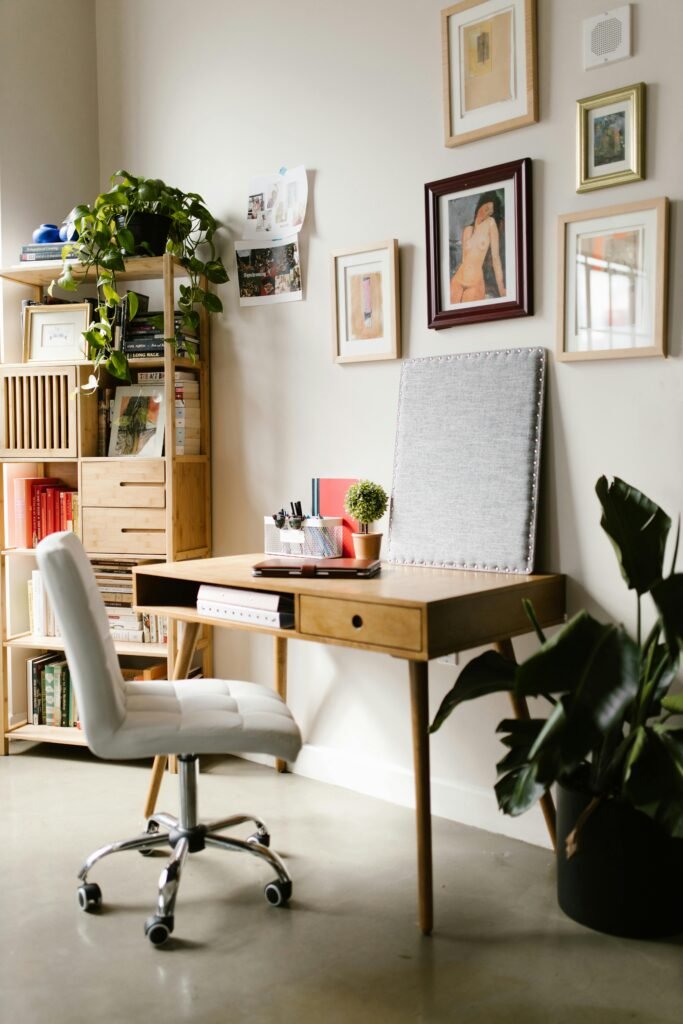
The desk is the most important furniture decision in a home office, and it’s the one most often made by default — using whatever desk was available, whatever fit in the space, whatever wasn’t too expensive at the time. A desk that’s the wrong size, the wrong height, or the wrong shape for how you actually work makes everything else in the office harder.
This room’s mid-century desk — light wood, tapered legs, a single drawer, a small open shelf at the front — is exactly proportioned for a one-monitor setup with limited paper-based work. It’s not large, which is right for the room: a smaller desk in a smaller space keeps the room feeling like an office rather than like a desk took over a room. The white upholstered chair on casters reads as contemporary and works with the warm natural tones of the bamboo shelving and wood desk without matching them precisely.
Desk size guidance that saves most people from a mistake: your desk should be large enough for your monitor plus your primary active workspace (notebook or papers or tablet, depending on how you work) with some clear surface left over. No larger than that. A desk that’s significantly larger than your actual working area becomes a surface for things that don’t belong at a desk, and the clutter migrates to fill the available space reliably.
The bamboo shelving unit flanking the desk — modular, light in color, flexible enough to hold books, art supplies, and decorative objects together — demonstrates what good office shelving does: it holds everything without announcing itself as office furniture. It looks like shelving that someone who happens to work in this room owns, not like filing infrastructure.
The gallery wall in this room — loose frames in warm tones (gold, natural wood, burgundy), prints of varying subjects arranged casually in the corner above the desk and shelving — is different in character from the tight black-frame gallery in the first image, and both work. The difference: a tight, consistent-frame gallery reads as more designed and contemporary; a loose warm-frame gallery reads as more personal and accumulated over time. Match the approach to the aesthetic the rest of the room is going for.
The Tech Setup — When the Hardware Becomes Part of the Design
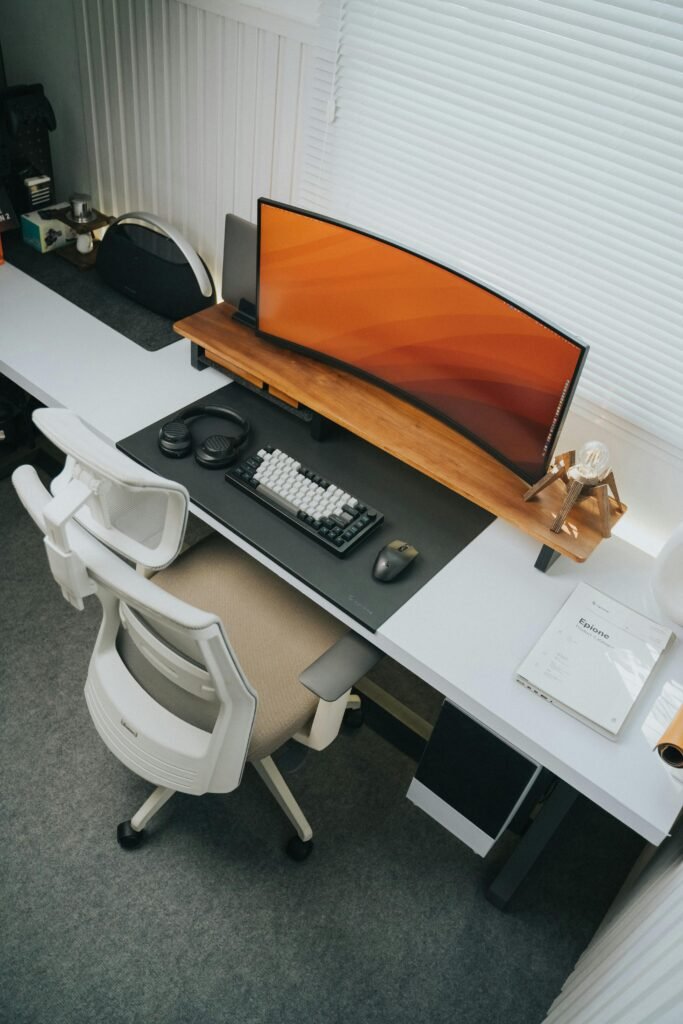
There’s a category of home office that’s not primarily about decor and not primarily about storage — it’s primarily about the quality of the working environment from a technical standpoint, and the aesthetic comes from getting the hardware right rather than from what’s around the hardware. This is that setup.
An ultrawide curved monitor — the kind that wraps slightly at the edges, providing peripheral content in both directions without a bezel gap — changes how multi-window work feels. Instead of alt-tabbing between applications or squinting at a split screen, everything is spread across a field of view that approximates looking at a large workspace from a natural distance. The 34-inch ultrawide ($400–700 for quality options from LG, Dell, or Samsung) is where most remote workers should be; the 38-inch and above ultrawide is for those with specific multi-application workflows that benefit from the extra real estate.
The wood monitor riser here — the same principle as in the earlier minimal setup — brings the center of the monitor to eye level and introduces organic warmth into what would otherwise be an all-white-and-gray palette. A large desk mat in dark material ($25–50 for a quality full-desk option) unifies the keyboard, mouse, and peripheral zone visually, making the collection of devices read as a composed workspace rather than hardware scattered on a surface.
The ergonomic chair: the white mesh chair visible here is the category of chair that handles eight-hour days. Lumbar support, adjustable armrests, proper seat depth, and breathable mesh that doesn’t hold heat — these are the specifications that matter. Herman Miller and Steelcase are the benchmark; the HAG Capisco, Branch Ergonomic Chair, and Autonomous ErgoChair are strong mid-range options at $300–500. A chair you’ll use for eight hours a day is not the place to choose based on aesthetics alone, but there’s no reason it can’t look good too — and this one does.
The mechanical keyboard with white keycaps: this is partly a performance preference (mechanical switches provide tactile feedback that makes typing more accurate for many people) and partly an aesthetic one. Keychron and Drop make keyboards in the $80–200 range that are genuinely good for extended typing sessions and look deliberately composed on a desk rather than like standard office equipment.
The Questions That Come Up Most
What if I only have a corner or a small nook, not a dedicated room? A small space done with intention looks better and works better than a large space treated as an afterthought. Pick up the desk, chair, and one wall element that works within the dimensions you have. A floating wall desk ($80–200) with a shelf above it and a pegboard to the side gives you a complete, organized home office in under three feet of wall width. The corner office is often more productive than the full-room office because the containment forces editing: only what you actually need fits.
How do I make a home office look good on video calls? Light your face from the front (a window in front of you, or a ring light or small LED panel on your desk) rather than from behind. Put something interesting but not distracting in the frame behind you — the gallery wall from the first image is ideal. Avoid sitting in front of a blank wall (boring and impersonal) or a cluttered wall (distracting). The camera doesn’t need to see much: a slice of a good bookshelf, a corner of a gallery wall, a plant — any of these signal that you’re in a real room that a real person has set up for themselves.
What color should I paint a home office? Warm white is the safest and most broadly effective choice — it reflects light, reads well on camera, and doesn’t compete with whatever you display on the walls. If you want something with more character: warm sage green, dusty blue, or a deep forest green are the home office colors that consistently show up in rooms that feel both focused and beautiful. Avoid very bright colors, which are energizing but visually fatiguing over a long workday.
What’s the most important thing to get right in a home office? The chair and the light. Eight hours in a chair that doesn’t support your body correctly creates physical problems that compound over months and years. And light — natural light during the day, warm artificial light in the evening — determines whether the space feels like somewhere you chose to be or somewhere you ended up. Everything else matters less than those two.
The Office That Earns Eight Hours of Your Day
Working from home is a privilege most people don’t treat as one, at least not in terms of the space they give themselves to do it. A commute was hours of your life; a home office is where those hours went. You’re spending them somewhere. It might as well be somewhere worth spending them.
The rooms above — the gallery wall and warm wood desk, the plant-filled natural-light office, the clean minimal standing desk, the personality-filled vintage space, the organized shelving system, the mid-century nook with framed art and a rubber plant, the carefully composed tech setup — are all different answers to the same question: what does it look like when someone actually thought about this?
The answer, in all eight cases, is a room that does two jobs well at the same time. Productive enough that you can actually work. Beautiful enough that you actually want to.
That combination doesn’t require a large budget or a dedicated room. It requires making decisions rather than accepting defaults — about the desk, the chair, the wall, the light, the plants, and the few objects that tell you who you are when you’re working your best.
What’s the one thing about your current home office setup that you’d change first? Drop it in the comments — the specifics are always the most useful part.
— Emily
